How to Send Bulk WhatsApp Messages? (2026 Guide)
Sending bulk WhatsApp messages involves using the WhatsApp Business API or the WhatsApp Business App by creating broadcast lists and crafting template messages.
 by Sahil Tyagi
You can send bulk WhatsApp messages using one of three methods, each with different limits:
- WhatsApp Business App broadcast lists, which are limited to 256 saved contacts
- WhatsApp Channels, to send a one-way broadcast to an unlimited number of followers
- The WhatsApp Business API through a provider, which supports thousands of personalized template messages per day
The API is the single approach that can be scaled to any number of recipients with personalization, automation, and analytics capabilities.
Any bulk messaging sent through a personal WhatsApp account or through third-party tools that have not been authorized by WhatsApp will result in an account ban.
Every now and then, you would receive a message on your WhatsApp app about a product, sale, or simply an update about your account. Because this message is addressed to you, you might think that you are the only one who got it.
But that is not the case. Companies use their database to segment their audience and use WhatsApp Business API to send various outreach messages to maximize engagement. In fact, WhatsApp offers a staggering engagement rate of 70%.
Don’t worry if you are still confused about how it is done. In this guide, I will explain what WhatsApp's bulk messaging feature is and how you can use it to send bulk messages to your target market.
I will also go over the problems you might face when using the WhatsApp Business app to send a large number of messages at once and provide solutions for the same.
What is bulk messaging on WhatsApp?
In Layman's terms, bulk advertising messages in WhatsApp refer to the texts that are sent to a huge number of recipients at once during WhatsApp marketing.
These messages allow you to conserve time and energy as you are not creating and sending them one at a time to your audience. This way, you can consistently engage, address questions, and guide them across the stages of the sales pipeline.
“The buyer’s journey is nothing more than a series of questions that must be answered.”
Now you might think, can I send bulk messages using the normal WhatsApp app? In theory, you can. But the normal WhatsApp app is built for users to send a limited amount of messages and doesn't offer facilities like bulk messaging.
Also, if you send too many messages using a user account instead of a business one, your recipients might consider it spam and report you to WhatsApp, which can result in you getting banned from the platform.
That’s why you should use WhatsApp Business to send bulk messages; a verified business profile allows you to build trust and rapport among your audience. Sending bulk messages is more convenient with the web version of WhatsApp Business, enabling you to handle large volumes of messages from your desktop. On top of that, you can also add videos, images, and unlimited characters.
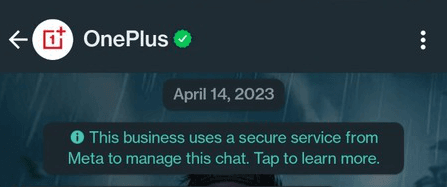
Various ways to send bulk WhatsApp messages
Choose the appropriate approach to best fit your situation before you begin sending bulk WhatsApp messages. There are three ways to send WhatsApp messages at scale, each with varying limits and use cases :
| Method | Recipient limit | Two-way replies | Cost | Best for |
|---|---|---|---|---|
| WhatsApp Business App via Broadcast List | 256 saved contacts per list | Yes, 1:1 reply, not visible to others | Free | Solopreneurs and small businesses with less than 500 customers |
| WhatsApp Channels | Unlimited followers | No | Free | Brands building a presence or sending updates |
| WhatsApp Business API | Thousands per day, scaling with quality | Yes, complete two-way communication | Pay-per-message + provider fee | Businesses with 1,000+ customers that want to run marketing & automation campaigns |
Here’s a quick rule to understand which option is most optimal for your business:
The Business App can work with you if you have fewer than 256 customers, who all have your number saved. To broadcast publicly but not talk to the recipients, use a WhatsApp Channel. However, when you require the actual marketing automation, segmentation, or when you need to scale into thousands of messages, you have to get the WhatsApp Business API.
Note: Do not send bulk WhatsApp messages when using a personal account or automation tools that are not authorized by WhatsApp (e.g., browser extensions, mod APKs). Both run the risk of being banned without the opportunity of appealing.
Create WhatsApp message templates using Zixflow
Use the WhatsApp template provided by Zixflow to send messages to your multiple customers
Login TodayHow to send bulk messages on WhatsApp?
Since the WhatsApp Business Platform consists of two components; WhatsApp Business App and the WhatsApp Business API, let’s look at each of them separately:
How to send bulk messages using the WhatsApp Business App?
The broadcast list of the WhatsApp Business App will allow sending the same message to up to 256 contacts simultaneously. The message is delivered to each recipient individually. They do not see the other recipients and can reply back to you privately.
However, there are a few prerequisites before you can start sending bulk messages using the WhatsApp Business App:
- To ensure your broadcast reaches recipients, you need to have your number saved in their phone; otherwise, they will not get your broadcast
- You also need to have the contact information of every recipient saved in your device
- You can only add 256 contacts to each list
To send bulk messages using the WhatsApp Business App, you need to first create a broadcast list in the app. To do that, follow these steps:
Steps to create a broadcast list on Android
- Launch the WhatsApp Business application
- On the Chats tab, tap the three-dot menu (top-right) and tap the New broadcast (or New list, depending on your version)
- Select the contacts you wish to add to your list
- Once you have finalized the contacts, tap the green checkmark
Your broadcast list now shows in your chats. Write and send your message just like you would to any other chat. It will be delivered to each recipient separately.
Steps to create a broadcast list on iPhone
-
Open the WhatsApp Business App
-
Navigate to the Chats tab → tap Broadcast Lists at the top
-
Tap New List
-
Add contacts and click Create
-
Craft and send your message
Although the WhatsApp Business App is free to use, it limits you to only adding 256 users to your broadcast list. Also, the likelihood of getting blocked is higher if recipients report your messages as spam or if you can’t stick to WhatsApp’s Guidelines.
WhatsApp Business API
WhatsApp API allows you to integrate WhatsApp’s messaging capabilities into external applications and use them to send messages, share PDFs and other media, manage contacts, and schedule WhatsApp message at scale.
To use WhatsApp API to send bulk messages, you require two things:
- A WhatsApp API account and
- Access to a WhatsApp Business partner like Zixflow
So let’s talk about the WhatsApp number. To set up an official WhatsApp Cloud API, you will need four things:
- A phone number that is not linked with WhatsApp.
- A Facebook account for your business.
- A privacy policy page on your site.
- Payment method to add funds for your campaign, such as credit or debit card.
After that, you have to set up the API account. To do that, you have to create a Meta developer account and once that is done, you have to set up the WhatsApp API.
It is not a difficult but somewhat complex process. That’s why, I am linking this guide on how to set up a WhatsApp API account that explains the entire process from the ground up.
How many WhatsApp messages can you send per day?
The WhatsApp Business API uses the tiered messaging system, which is adjusted based on your account reputation. Here’s how it works:
| Tier | Daily Messaging Limit (Unique Users) | Requirement to Upgrade to Next Tier |
|---|---|---|
| Tier 0 (new accounts) | 250 | Verify your business in Meta Business Manager |
| Tier 1 | 2,000 | Maintain good quality rating + send messages close to your current limit consistently |
| Tier 2 | 10,000 | High-quality messaging + engage users + reach ~50% of current limit over 7 days |
| Tier 3 | 100,000 | Strong engagement with consistent, high-volume messaging |
| Tier 4 | Unlimited | Automatically granted after sustained performance at lower tiers |
In addition to the tier restriction, Meta also implements a per-user frequency cap on marketing messages. A single user usually does not get more than 2-4 marketing messages per week across all businesses together.
It is something that you cannot see, but it implies that well-segmented campaigns will outperform mass-sends since users will reach their limit on your competitors’ messages, rather than yours.
How to send bulk WhatsApp messages without getting banned?
If used incorrectly, bulk WhatsApp sends can result in your WhatsApp account getting banned. Plus, WhatsApp bans can be indefinite and cannot be appealed if the same mistakes are repeated multiple times. So, below are ways to avoid getting your WhatsApp account banned:
You must use an official WhatsApp Business account
Personal WhatsApp accounts are blocked the quickest due to bulk messaging. The authorized channels are the Business App and Business API.
Have a clear opt-in prior to messaging
Either using a site checkbox, Click-to-WhatsApp ads, or an SMS confirmation. Keep a record of how each of your contacts opted in. This is mandated by Meta and the majority of data privacy legislation.
Use the right templates for marketing messages
With the WhatsApp Business API, the marketing messages should be created with templates approved by Meta. Do not attempt to evade this by having free-form messages inside the 24-hour service window.
Don't use third-party automation tools
Browser extensions, modified APKs, and so-called WhatsApp blasters simulate user behavior and go against the terms of WhatsApp. You can get banned just by running a campaign on these tools.
Review your quality rating
Meta assigns a quality rating (Green/Yellow/Red) to each business phone number. A reduction to Yellow is an alert; Red normally comes before a reduction to a lower tier or a ban. Your rating is shown in the dashboard of most of the WhatsApp API providers.
Stagger sends
Sending 50,000 identical messages at once might look suspicious to Meta’s monitoring systems. This is why a majority of WhatsApp API providers automatically slow down sends to maintain your account’s reputation. If your provider doesn’t have this, add a delay between your bulk message batches.
Message inactive people only once
When a person has not replied to your last 3-4 messages, there is no need to send them any more messages. Repeated messages to non-engaging users make your quality rating sink.
Why should you use WhatsApp API instead of the WhatsApp Business App?
If you are a startup or a small business, the WhatsApp Business App is sufficient for your needs. It doesn’t cost anything and you don’t have to get any other software.
However, the WhatsApp Business App is not suitable for you if you want to send bulk messages to a large number of people because the app doesn’t allow you to add more than 256 contacts to a broadcast list.
This means that you cannot send messages to more than 256 people using the broadcast list. So, if you have a bigger target audience, you need to use the WhatsApp API. With that said, let’s look at a few other benefits offered by the WhatsApp Business API.
Benefits of using WhatsApp Business API
There are various benefits of using WhatsApp API for your business. Here are some of the advantages:
Rich media support
With the API, you can send various types of media files, such as images, videos, and documents to showcase your products or services based on your WhatsApp marketing strategies.
Doing so allows you to provide visual instructions and deliver a more engaging customer experience.
Scalability and integration
One of the advantages that API offers in comparison to the app is the ability to scale your campaigns by integrating it with other platforms. For example, you can integrate WhatsApp API with your CRM to streamline workflows and improve productivity.
Automated messaging
The API lets you automate certain messaging processes like sending abandoned cart reminders or regular updates to engage your customers to get more sales. Automating also helps in saving time and resources while ensuring consistent and prompt conversations.
Superior customer support
WhatsApp Business API facilitates efficient customer support by letting you have a presence on a channel that your customers use daily. You can provide personalized assistance using WhatsApp and incorporate chatbots to handle common inquiries, offering instant support to your customers 24/7.
Send Bulk Messages On WhatsApp Using Zixflow
Use the campaign functionality of Zixflow to integrate WhatsApp API and run WhatsApp campaigns from the software itself.
Get in TouchReach your audience more effectively by sending bulk messaging using WhatsApp Business
Utilizing the best tools for WhatsApp to send bulk messages efficiently can significantly enhance your messaging strategy and ensure effective communication with your audience. However, you must comply with WhatsApp’s policies and prioritize user privacy before sending these messages.
By following the guidelines and employing a thoughtful approach, you can leverage WhatsApp to communicate with your target market and promote your offerings to achieve business goals.
And with Zixflow, you can combine WhatsApp’s reach with the usability of Zixflow to engage with a global audience and utilize different types of sales to market your products or services.
It is an outbound sales platform that lets you run WhatsApp campaigns as well as other kinds like email and SMS. So, you can sign up on the platform for free and ensure multi-channel engagement with various campaign options available in the software.
Frequently asked questions about sending bulk WhatsApp messages
Here are some of the commonly asked questions regarding sending bulk WhatsApp messages using the WhatsApp Business platform:
What does sending WhatsApp messages at scale entail?
Bulk messages in the WhatsApp Business Platform allow you to scale your WhatsApp outreach by reaching out to hundreds and thousands of customers simultaneously. These messages support two-way conversations so your contacts can respond to them if they have any questions or want to learn more about your products/ services.
What is the cost of sending bulk WhatsApp messages?
The charges for WhatsApp messages vary based on the country and type of messages you are sending. For example, the WhatsApp marketing messages cost the most while the utility ones are free after the recent WhatsApp pricing update.
On the other hand, if you are using the WhatsApp Business App, you don’t have to worry about the cost since it is free to send bulk messages on the app.
What do I need to qualify for sending WhatsApp Broadcasts at scale?
To send WhatsApp Broadcasts using the WhatsApp Business API, you must first get your account approved. This can be done through platforms like Zixflow. You will also need pre-approved message templates and sufficient balance in your Campaign Wallet to get started. After you add a list of users who have consented to receive messages, you can reach out to them effectively using the platform.
Can I tailor my WhatsApp bulk messages?
Absolutely! You can tailor your messages by adding details like the customer’s name, order information, and more. With Zixflow, you can use variables in your messaging templates to automatically personalize each message, enabling you to scale communication without making individual edits.
How can I stop recipients from marketing my WhatsApp messages as spam?
Although you can’t control when a contact will report you spam, but here are some of the things you can do to significantly lower this possibility:
- Obtain WhatsApp opt-in: Only reach out to contacts who have explicitly opted in to receive messages.
- Stick to approved messaging templates: Use only WhatsApp-compliant message templates to stay within policy.
- Share meaningful content: Avoid sending generic promotions and instead, concentrate on delivering valuable and engaging information.
- Keep an eye on quality score: WhatsApp evaluates how your messages perform. Platforms like Zixflow let you monitor the quality rating of your phone number within its platform.
- Promote interaction: Encourage users to reply, as two-way communication boosts engagement and reduces the chance of being flagged as spam.
Is it illegal to send WhatsApp messages through a tool?
No, but make sure you are working with an official WhatsApp API provider like Zixflow. Relying on unverified third-party tools can lead to your number being permanently banned. To avoid such risks, it’s essential to stay compliant by using Meta-approved WhatsApp tools.
Is it possible to automate my bulk WhatsApp messaging?
Yes! By using Zixflow, you can create custom workflows or WhatsApp chatbots to automate your engagement across WhatsApp.
Is it possible to use bulk WhatsApp messages without an API?
Yes, through Broadcast Lists in the WhatsApp Business App, but you are only limited to 256 saved contacts per list. The recipients should save your number. To send to over 256 recipients with personalization or analytics, the WhatsApp Business API is needed.
Is it free to send bulk messages on WhatsApp?
WhatsApp Business App is a free application with a limit of 256 people in a list. WhatsApp Channels, too, are free and have an unlimited number of followers, but only allow one-way broadcasts. WhatsApp Business API costs on a per-message basis depending on the country of destination and the type of message.
Can I send bulk WhatsApp messages from Excel or Google Sheets?
You can upload an Excel/CSV contact list to a WhatsApp Business API provider (such as Zixflow), which will then send the messages on your behalf using the approved templates.
What happens if I send too many WhatsApp messages too fast?
The three things that happen as you keep sending too many WhatsApp messages too quickly:
- Quality rating decreases from Green to Yellow
- You may get downgraded to a lower messaging tier
- Repeated violations will lead to suspension of your account or permanent ban
Ensure to pace your WhatsApp messages and adhere to the daily messaging limits set by Meta.