WhatsApp Win-Back Campaigns: How to Reactivate Dormant App Users?
WhatsApp win-back campaigns help businesses reach inactive users with relevant messages that encourage renewed app activity.
 by Sahil Tyagi
A WhatsApp win-back app campaign includes planned WhatsApp messages sent to opted-in users who have stopped using your app. It reaches dormant users even after they’ve uninstalled the app or turned off push notifications.
- Why WhatsApp: Reaches users push can’t, gets more attention, and lets users reply with why they left
- Segment: Group dormant users by past value, last activity, and time away
- Check reachability: Send only to opted-in users and respect Meta’s frequency limits
- Message: Give one specific reason to return with a button that deep links to the right screen
- Follow-up: Send one reminder then stop if the user still doesn’t return
- Mistakes to avoid: Messaging every inactive user at once, leading with discounts, and not knowing when to stop
Getting someone to install your app is only half the battle. Keeping them is the harder part. In fact, around 50% of app uninstalls happen within the 24 hours after installation. And plenty of users who keep the app simply stop opening it.
Most app teams try to bring these users back with push notifications. The problem is that push depends on the user paying attention to them. Plus, push only works while the app is installed and notifications are on.
That's where a WhatsApp win-back campaign comes in.
It reaches dormant users in the app they open every day, whether or not your app is still on their phone. That's why in this guide, I'll explain what a WhatsApp win-back campaign is and why it works better for app users. Then I'll walk you through how to build one step by step.
What does WhatsApp win-back campaigns mean for dormant app users?
A WhatsApp win-back campaign is a series of planned WhatsApp messages sent to users who have stopped using your app with the goal of bringing them back. It targets users who have already opted in to hear from you on WhatsApp. Each message gives a clear reason to return, such as a limited-time offer, a new feature, or a reminder of something they left unfinished.
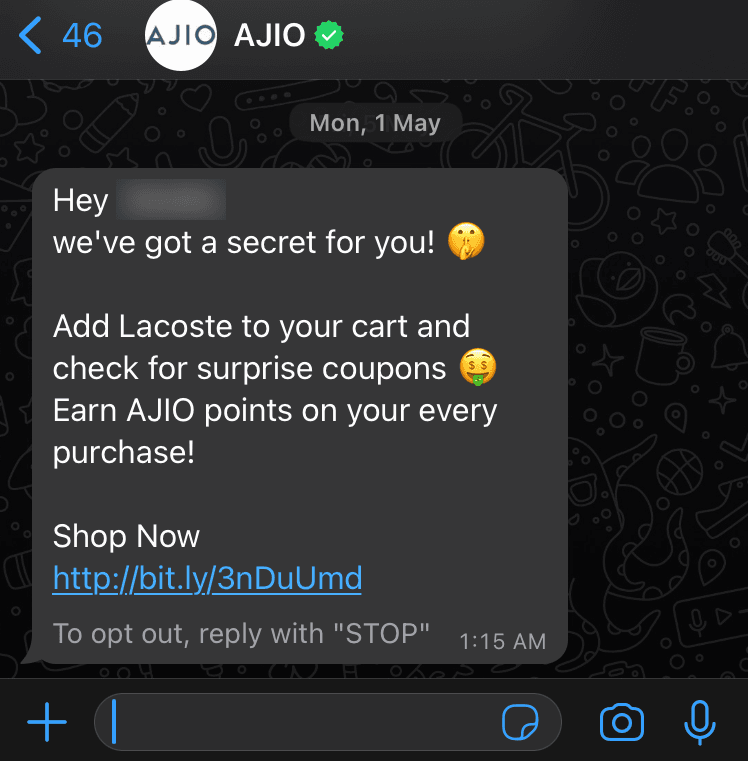
A win-back campaign is different from a regular WhatsApp marketing campaign. A promotion goes to everyone who fits the correct profile. A win-back campaign only goes to users who have gone quiet, and the message is shaped around what they did before they left.
It's also different from the messages you send to active users. Active users already know your app and why they use it. Dormant users need a reminder of the value they're missing, often with a small push to take the first step back.
Does WhatsApp work for reactivating dormant app users?
When it comes to bringing users back, the channel you choose matters as much as the message. Here's why WhatsApp often does better than the usual outreach channels:
It reaches users your app can't
The biggest difference between WhatsApp vs. push notifications is that the latter needs your app to be installed and notifications to be turned on. Once a user deletes your app or switches off notifications, push can't reach them anymore.
WhatsApp messages go to the user's phone number instead. As long as the user has opted in, you can still reach them after they've uninstalled your app. That makes WhatsApp one of the few owned channels that keeps working when your app has stopped working for you.
It performs better due to users' attention
WhatsApp messages land in the same place where people talk to friends and family. That puts your message in front of users at a time when they're actually looking at their phone.
The results of this one aspect can be striking. Online fashion brand Styli tested WhatsApp marketing messages against its usual win-back channels for inactive customers. It reported a 67% higher conversion rate than push notifications and a 50% higher conversion rate than email. That kind of gap is hard to ignore when you're trying to recover users you've already paid to acquire.
It gives you room to show a real reason to return
A WhatsApp message gives you an image or video, a longer message, and buttons the user can tap. You can even send several products at once with WhatsApp carousels. This matters for win-back as dormant users need more than a vague "We miss you." They need to see what's new or what they left behind.
It lets users tell you why they left
WhatsApp is a two-way channel. A dormant user can reply to your message and tell you what went wrong. Maybe the app was too slow, or they found a cheaper option, or they simply forgot about it. That feedback is useful even when the user doesn't come back.
How to build a WhatsApp win-back campaign?
After learning why WhatsApp works for win-back, now it's time to put it into practice. The steps I’ve mentioned below follow the order most teams should build in:
Segment dormant users by value or history
Split your dormant users into groups that need different messages. Not every dormant user is worth the same effort, and not every one left for the same reason. A single message for everyone rarely lands.
For example, a user who bought five times last year has a different relationship with your app than someone who only signed up. The loyal user might just need a reminder. While the one-time user might need a bigger reason to come back.
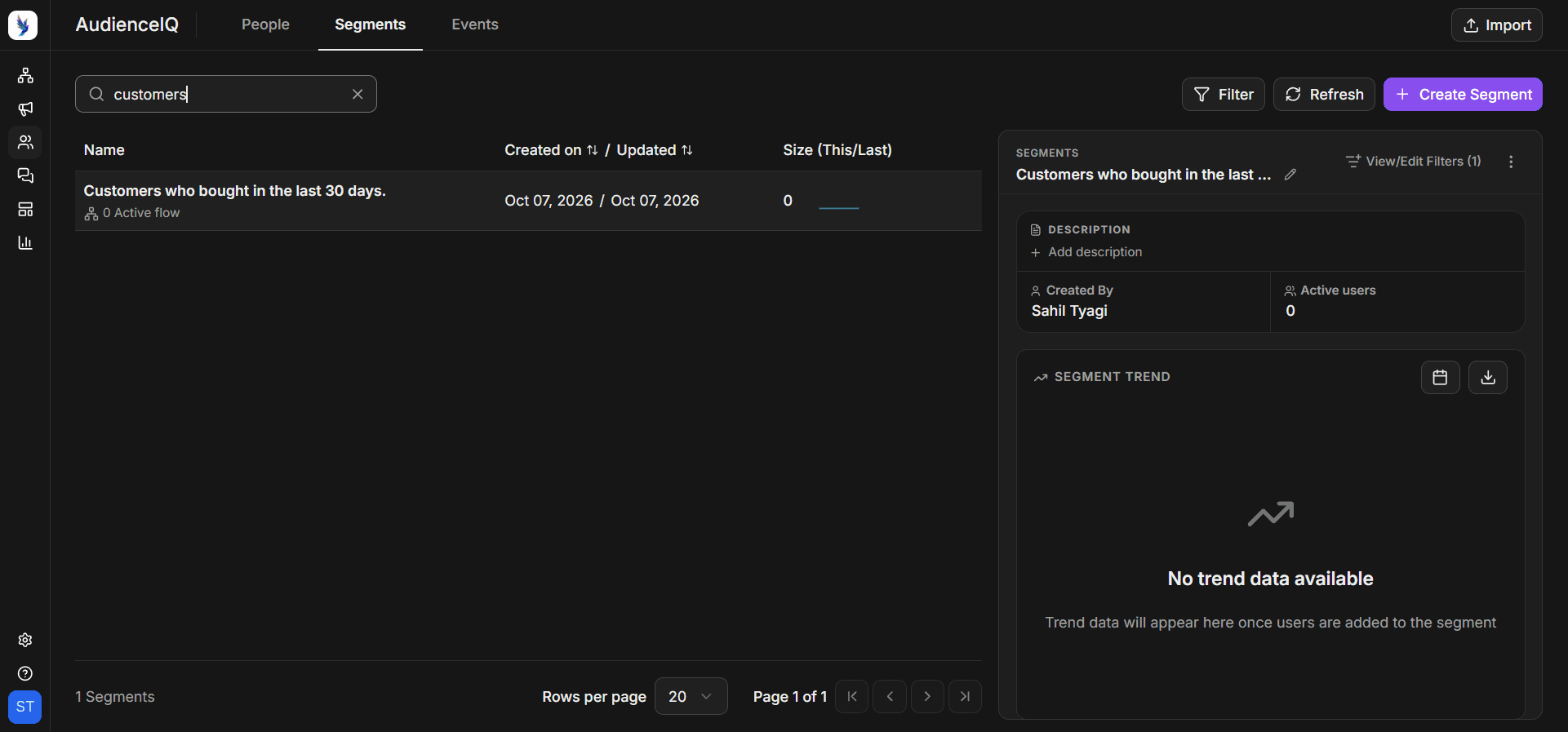
The most practical way to segment is to look at three things. First, how valuable the user was before they left. Second, what they did last, such as the category they browsed or the action they took. Third, how long they've been away. Combine these to build a handful of segments, rather than dozens.
Five or six well-defined groups are much easier to manage. Then match the size of your offer to the value of the user. Your most valuable dormant users might get a bigger incentive or early access to something new. Low-value users might get a smaller offer or just a reminder of what's new.
Our guide to WhatsApp customer segmentation walks through how to build these groups in more detail.
Check reachability before you send
Before you write a single message, make sure you're allowed to send it and that it can reach the user. This step protects both your results and your WhatsApp account.
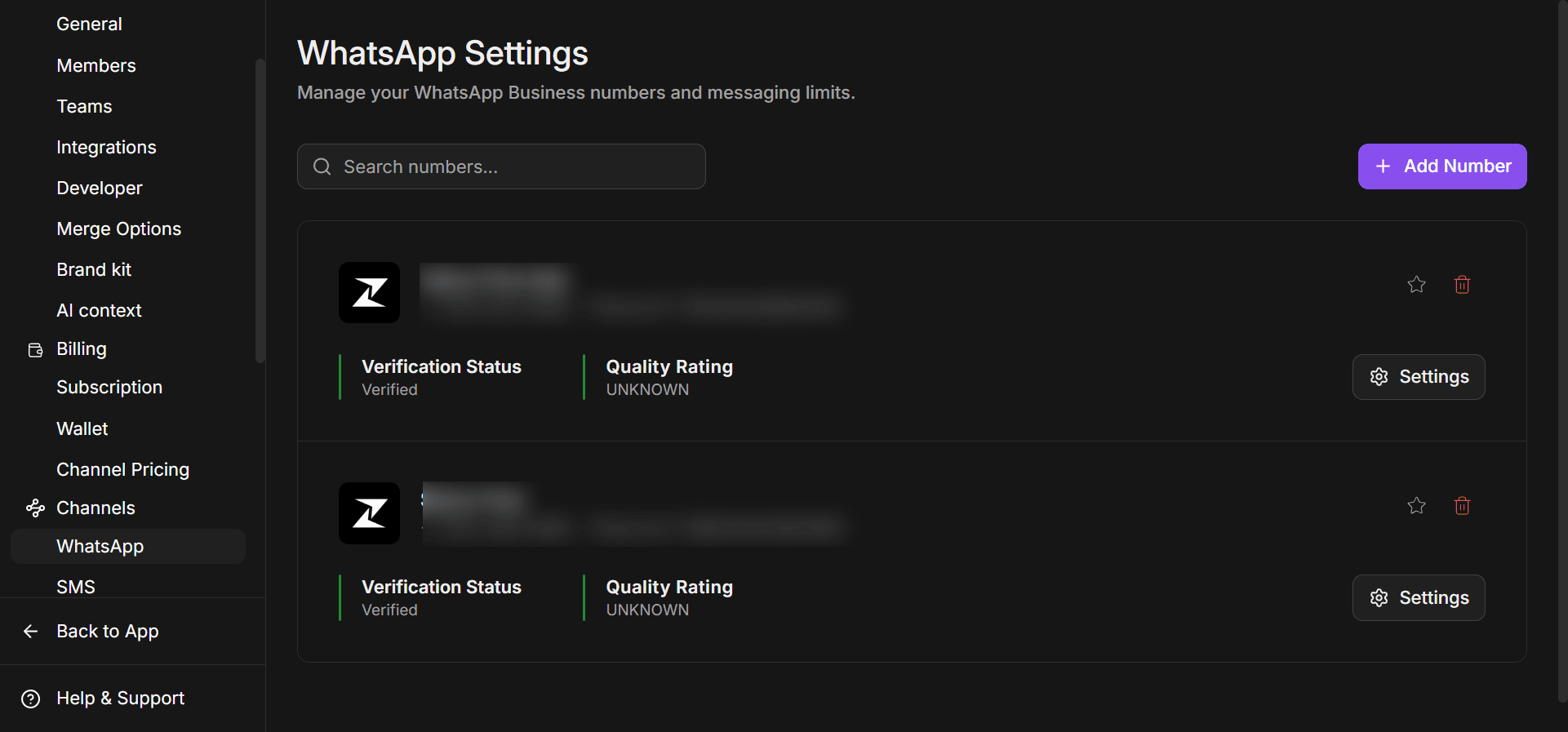
It matters because WhatsApp is strict about consent. Meta requires businesses to get opt-in before sending proactive messages. Users who didn't expect your message are more likely to block or report you. Too many blocks lower your quality rating, which can limit how many messages you're allowed to send.
The best way to handle this is to filter your dormant segments by opt-in status before every campaign. Remove anyone who hasn't opted in to WhatsApp. Do this right before you send, not a week earlier, so late opt-outs aren't missed.
It's also worth checking which other channels can still reach each user. If a dormant user still has your app installed with push turned on, you might try push first. WhatsApp can then follow for users who don't respond or go first for users whom push can no longer reach.
Note: keep Meta's own limits in mind, too. Meta limits how many marketing messages a person receives from businesses in a given period. This limit is known as WhatsApp frequency capping and adapts based on how engaged that person has been recently. If a message is blocked for this reason, Meta advises waiting at least 24 hours before trying again.
Write a message that gives a specific reason to return
Now it's time to write the message itself. This is where most win-back campaigns succeed or fail.
It works when the message answers one simple question for the user, “why should I come back now?” A generic WhatsApp message rarely does that. A message that shows something new or offers something for a limited time gives them a real reason to act.
A great way to write it is to keep it short and personal. Start with the user's name and mention something specific about their past activity. Then make one clear offer with a single button that takes them straight to the right screen in your app.
Since win-back messages go out to users who haven't messaged you recently, you'll need an approved marketing template. Build a few variations so you can test different offers. You can learn more about them in our guide to WhatsApp message templates.
A sense of urgency helps, but only when it's real. A limited-time offer or a deadline can move a user to act today. On the other hand, don't overdo the discounts. If every win-back message comes with a big offer, users may learn to go quiet just to get one. Save your strongest incentives for your most valuable dormant users to lead with value for everyone else.
Plan the follow-up message
A single message might not win everyone back. The next step is to plan what happens after the first message. Many users may receive your message and do nothing.
A well-timed follow-up catches some of them back. At the same time, too many follow-ups will annoy users and hurt your quality rating, so a WhatsApp drip sequence needs a clear end.
The best way to do this is to build a short journey with clear branches. Send your first message, then wait and check whether the user has returned to your app.
If they have, stop the win-back journey and move them into your normal engagement flow. If they haven't, send one reminder after a set wait. If they still don't return, stop messaging them on WhatsApp for a while and try again later with a different angle.
Another thing to keep in mind is the replies. Add quick reply buttons such as "Remind me later" or "Not interested" to the message. Route anyone who replies with a question to your team or a chatbot, so nobody waits for an answer.
Some users will tell you why they left in their reply. Log those reasons because they often point to problems your product team should know about.
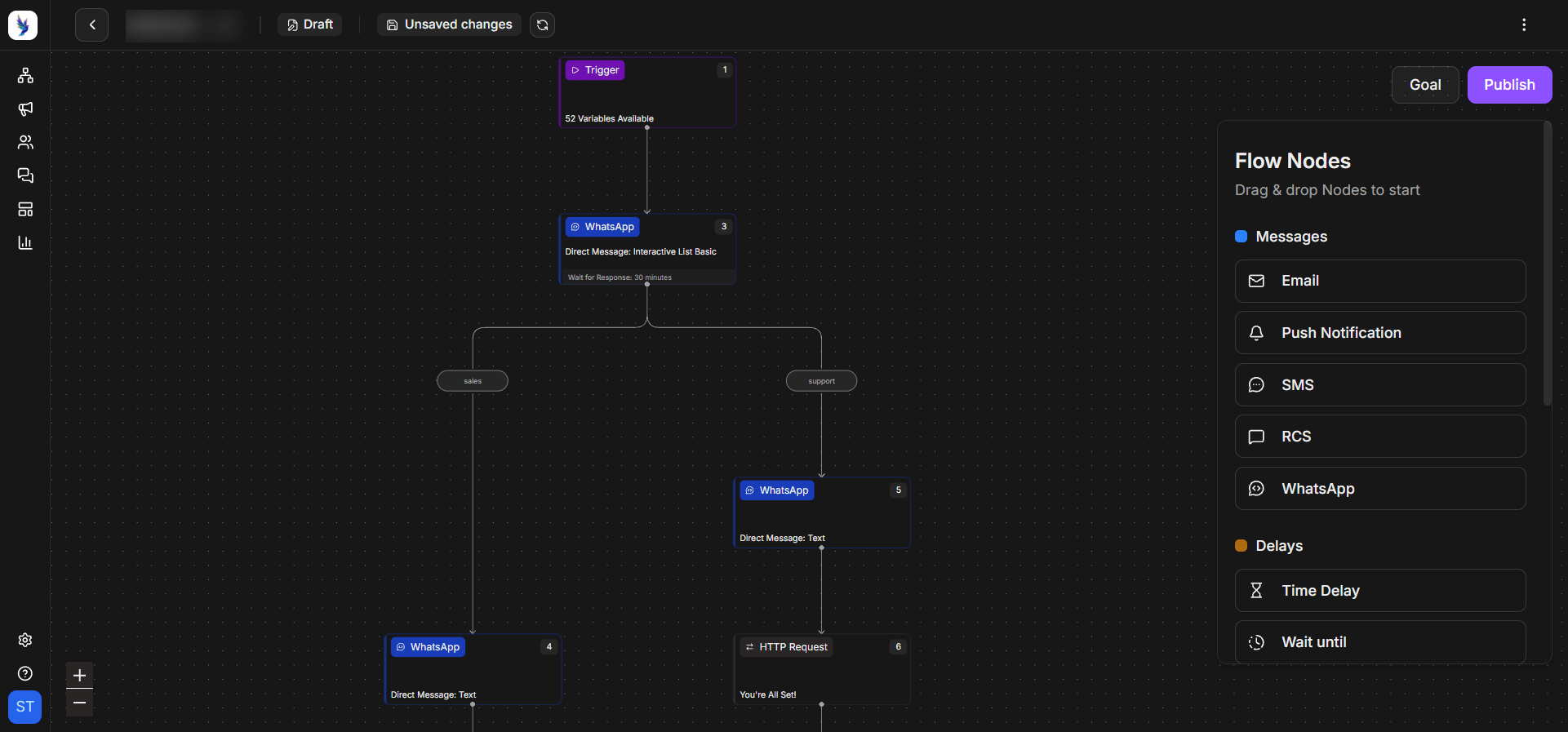
Want to see a win-back journey in action?
Talk to our team about building WhatsApp win-back journeys based on your app's user activity.
Talk to ExpertsCommon mistakes that hurt WhatsApp win-back campaigns
Even a well-planned campaign can not produce the right results when there are mistakes in its implementation. That said, here are some of the common mistakes you should avoid when running your WhatsApp win-back campaigns:
Messaging every inactive user at once
It's tempting to send one big message to your entire dormant list. But a blast like this treats a loyal customer the same as someone who barely used your app.
It also raises your chances of blocks and reports since many of those users may not remember you. Start with your most valuable and most recently active dormant users, then expand.
Leading with a discount every time
Discounts work, but they come at a cost. If every win-back message offers money off, users learn that going quiet pays. Lead with what's new or what the user is missing. Save the bigger incentives for users who need them most.
Sending users to the wrong screen
A win-back message that drops users on your home screen wastes the click. Users have to hunt for whatever caught their eye, and many will give up before reaching the right screen. Always deep link to the exact product or feature you mentioned in your message.
Forgetting to stop
A win-back journey needs a clear end. If a user has ignored two or three messages, they're telling you something. Keep messaging them, and you risk a block that hurts your WhatsApp Business account as a whole.
Bringing dormant users back with WhatsApp
Dormant users are some of the most valuable people you can reach. They already know your app, and you've already paid to acquire them.
This guide covered what a WhatsApp win-back campaign is and why WhatsApp works for reactivating app users. If you take away one thing, let it be this, give every dormant user a specific reason to return. A message that reflects what the user did before they left is always better than a traditional message saying that you’re missing them.
A good next step is to pull a list of users who have gone quiet in the last 60 to 90 days and check how many have a WhatsApp opt-in. That one number will tell you how big your opportunity is and where to start your first WhatsApp win-back campaign.
When you're ready to build it, it helps to have app activity and WhatsApp journeys in one place. You can try out Zixflow to run win-back journeys with RCS or SMS as a fallback.
Frequently asked questions about WhatsApp win-back campaigns
What is a WhatsApp win-back campaign?
A WhatsApp win-back campaign is a set of planned WhatsApp messages sent to users who have stopped using an app or buying from a business. Its goal is to bring them back by giving each user a clear reason to return.
When should I send a WhatsApp win-back message?
Send it once a user has gone well past their usual gap between sessions or purchases. A common starting point is about twice that gap, but it depends on your app. Weekly-use apps might act after a few weeks. Apps used a few times a year might wait several months. Test different timings and use a holdout group to see what works.
Do I need an opt-in to send WhatsApp win-back messages?
Yes. Meta requires businesses to get an opt-in before sending proactive messages to customers. Win-back messages go to users who haven't messaged you recently, so opt-in is required. The opt-in should clearly say the user will get messages on WhatsApp and name your business. Remove anyone who has opted out before each campaign.
How much does a WhatsApp win-back campaign cost?
Meta charges per delivered marketing template, and the rate depends on the user's country. Your win-back messages will usually be marketing templates, so each one has a cost.
Only the first 1,000 service messages sent within the open 24-hour customer service window are free. Plus, the platform fees are separate on top of these charges.
Is WhatsApp better than push notifications for win-back campaigns?
It often is, especially for users who have uninstalled your app or turned off notifications. Push can't reach those users, but WhatsApp can if they've opted in.