WhatsApp vs Push Notifications: Which Channel to Use & When
WhatsApp and push notifications serve different purposes, making the right channel depend on the message and customer interaction.
 by Sahil Tyagi
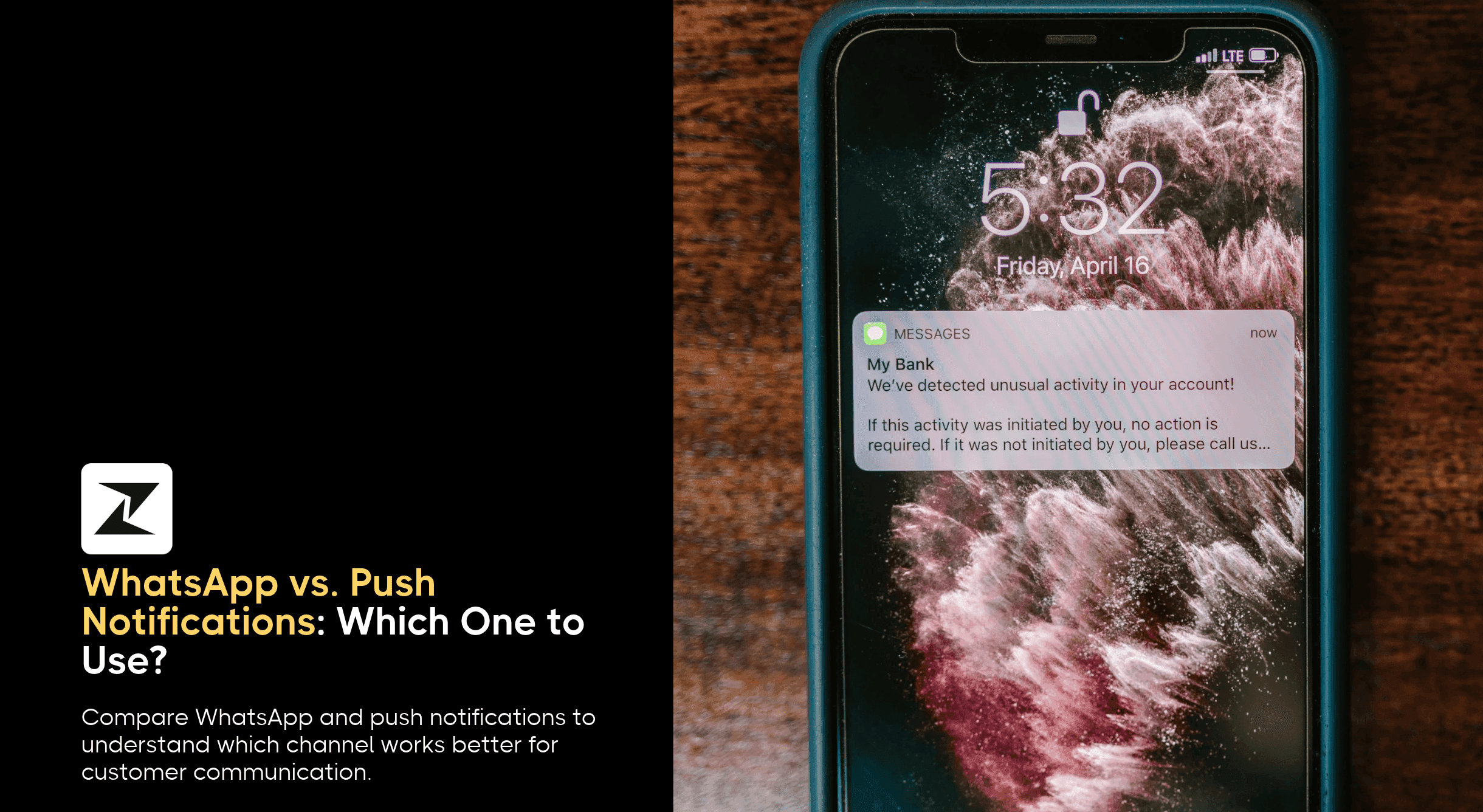
WhatsApp and push notifications both land on your customer’s lock screen, but they work very differently. Push depends on your app staying installed, while WhatsApp reaches customers through their phone number and lets them reply.
Here’s what each channel is best suited for:
- WhatsApp: Best for high-value messages, replies, and customers who don’t have your app
- Push notifications: Best for frequent, time-sensitive nudges to active app users
- Both together: Use WhatsApp to bring people into your app, push to keep them engaged, and fallback for messages that can’t fail, like OTPs
Most brands with a mobile app now have two direct lines to their customers' phones, the app's push notifications and WhatsApp. Both land on the lock screen, both feel personal, and both can drive a purchase within minutes.
In markets where WhatsApp is the default way people talk, the question of which one to use comes up in almost every customer engagement strategy discussion.
The issue is that the two channels behave very differently. Push notifications depend on the customer keeping your app installed and allowing notifications, while WhatsApp depends on messaging templates and a per-message budget.
Treat them as interchangeable, and you'll either overspend on WhatsApp or lose customers whose push permissions are quietly switched off. That's why the WhatsApp vs. push notifications decision is really about matching each message to the channel that suits it best.
In this guide, I'll compare the two channels side by side to walk you through the scenarios where each one wins. So, let's get into it.
What is the difference between WhatsApp and push notifications?
The difference between WhatsApp and push notifications is where the message lives and what it needs to reach the customer. WhatsApp messages are sent to a customer's phone number inside the WhatsApp app and can turn into two-way conversations.
Push notifications are short alerts sent by your own app or website through Apple and Google's systems, and they only reach people who have your app installed and the notifications turned on.
That one difference shapes everything else. Push notifications are tied to your app, so they're great for nudging active users back into a specific screen. WhatsApp is tied to the customer's identity, so it reaches people whether or not they've installed your app.
On top of that, the cost models are completely different. Push is close to free per message, while WhatsApp charges per message. So the choice isn't about which channel is better overall. It's about which one fits a particular message and goal.
| Factor | Push notifications | |
|---|---|---|
| What the customer needs | WhatsApp account and opt-in | Your app installed and notifications allowed |
| Cost per message | Charged per message; free replies in open window | No per-message fee from Apple or Google. Only platform cost. |
| Message format | Rich media, buttons, catalogs, forms | Short text, image, and action buttons |
| Two-way conversation | Yes, customers reply in the same thread | No, taps open the app |
| Message history | Stays in the chat thread | Disappears once dismissed |
| Rules and approval | Template approval, quality rating, opt-in rules | App store and OS permission rules |
| Best for | High-value, interpersonal messages | Frequent, real-time nudges |
Pros and cons of WhatsApp marketing
Before you decide which channel is suitable for your business’s outreach, here’s the pros and cons of using WhatsApp:
Pros
Like every channel, WhatsApp has its strengths and its limits. Let's start with the good parts.
It doesn't need your app
WhatsApp messages go to your customer's phone number. They don't go through your app. This means you can reach people who never downloaded your app in the first place.
You can also reach people who downloaded it once and then deleted it. If a lot of your customers shop on your website or in your stores, this matters a lot.
Customers can reply
On WhatsApp, a message doesn't have to be the end of the conversation. Your customer can reply with a question. They can even tell you something went wrong. People like this because 75.1% of consumers want to message businesses the way they message friends and family.
You can send more than text
WhatsApp lets you send messages that include images, videos, and documents. You can add buttons that customers tap to respond. You can even share a product catalog.
On top of that, you can build small forms inside the chat with WhatsApp Flows so a customer can set up a meeting or pick a size without ever leaving WhatsApp.
Messages don't disappear
A push notification is gone once someone swipes it away. A WhatsApp message stays in the chat. If your customer needs their tracking link or offer code later, they know exactly where to find it.
Some messages are free
When a customer messages you, a 24-hour window opens. During that window, you can send free-form replies for free. Order updates sent as utility templates are free too. This is according to Meta's pricing rules.
So if you plan your conversations well, a good part of your WhatsApp messaging won't cost you anything.
Cons
Now let's look at the other side. Here's where WhatsApp can be tricky.
Most marketing messages cost money
Outside that 24-hour window, Meta charges you for each message you send using a template. Marketing messages are always charged at a price depending on the recipient’s country and the type of WhatsApp message.
If you send lots of promotions to a big list, this cost adds up fast. That's why it's a good idea to understand WhatsApp marketing costs before you scale.
You need permission and approved templates
You can't just message anyone on WhatsApp. Customers have to opt in first. And the templates you use to start a conversation need to be approved by Meta. This means a bit more setup work at the start. Our guide to WhatsApp opt-ins walks you through how to collect permission the right way.
Too many messages can backfire
If you message customers too often, they'll start muting or blocking you. When that happens, your account's quality rating drops. Meta says it will rate-limit businesses whose quality stays low for too long. That affects every message you send afterward. So it's crucial to keep your frequency in check.
Send Multiple Types of WhatsApp Messages using a Single Solution.
Engage your customers on WhatsApp or set up automated flows to interact with customers even after office hours with Zixflow.
Set up WhatsApp CampaignsPros and cons of push notifications
Similar to WhatsApp, push notifications have their advantages and disadvantages as well. Let’s look at them below.
Pros
Here's why so many app-based businesses rely on push:
There's close to no cost per message
Apple and Google don't charge you for each push notification you send. However, you’ll still have to pay for the platform you use to send push campaigns. You'll also spend some developer time on the setup if your platform doesn’t allow plug-and-play capability.
They arrive instantly
Push notifications are delivered almost right away. That makes them perfect for anything time-sensitive. Think of a flash sale that starts now or a live match that's about to begin.
They take users straight into your app
A push notification can open a specific screen in your app. This could be a product page, the user's cart, or a new episode. The user taps once, and they're exactly where you want them to be.
Cons
Push notifications aren't perfect either, and here’s why:
Your app has to stay installed
Push only works if the user still has your app. And many don't keep it for long. More than 50% of apps are uninstalled within the first 30 days of being downloaded. Once someone deletes your app, you can't reach them through push anymore.
Users have to say yes first
On iPhones, apps must ask for permission before sending notifications. On newer Android phones, notifications are switched off by default for newly installed apps.
So not everyone who downloads your app will get your notifications. Your push audience is always smaller than your number of downloads.
There isn't much space
Push notifications are made to be read at a glance. You get a title and a short line of text. Sometimes you can add an image or a button. That's about it. So there's not much room to explain an offer or show more than one product.
They're easy to ignore
A push notification can be swiped away in a second. Users can also turn notifications off whenever they like. If you send too many, they might silence your app or delete it altogether.
It's a one-way street
Customers can't reply to a push notification. If they have a question, they have to open your app and look for a way to contact you. This is the complete opposite of WhatsApp, where users can engage in full-fledged conversation within the chat thread.
Reach Customers Wherever They Are.
Use Zixflow to run campaigns across WhatsApp, push, SMS, and email with automatic fallback should the first message fail.
Talk to SalesWhen should you use WhatsApp vs. push notifications?
This is where it all comes together. The truth is, you don't have to pick one channel for everything. The better question is which channel suits the type of customer outreach you have planned.
A good rule of thumb is to look at two things. First, how important is the message? Second, does the customer need to reply? Let's go through the situations where each channel works best.
When to use WhatsApp?
WhatsApp is the right choice when a message really matters. It's also the right choice when you need the customer to respond, or when they can't be reached any other way (i.e., SMS or email).
When you need the customer to reply
Some messages only work if the customer answers. Think of a cash-on-delivery order that needs to be confirmed before it ships. Or an appointment that the customer might want to reschedule.
A push notification can tell the customer something, but it can't easily let them respond. On WhatsApp, you can add "Confirm" and "Reschedule" buttons right in the message. The customer taps one, and you know where things stand.
This saves you from making follow-up calls. It also cuts down on failed deliveries and missed appointments.
When the customer doesn't have your app
Many of your customers will never download your app. Others will download it and delete it a few weeks later. Push can't reach either group.
WhatsApp can.
As long as the customer has opted in, you can still keep them updated about their orders. You can send them reminders and offers too. That's why it's smart to ask for a WhatsApp opt-in at checkout. Even if a customer never installs your app, you'll still have a way to stay in touch.
When you want to start a conversation
Some messages are really an invitation to talk. A product recommendation is a good example. The customer might want to know if it suits them, and they might ask about sizes or delivery times.
On WhatsApp, they can ask right away and get an answer in the same chat. That keeps the buying decision moving. With push, they'd have to open your app and look for help for their specific problem. The same goes for support. If a customer has a problem after their purchase, WhatsApp lets you sort it out in a simple two-way chat.
When the moment is worth paying for
Since WhatsApp charges per message, save it for the moments that count. A customer who leaves an expensive item in their cart is a good example. So is a loyal customer who hasn't ordered in a while.
In these cases, one WhatsApp message can bring back a sale that's worth far more than it cost to send. Our guide to WhatsApp abandoned cart recovery shows how to do this well.
When to use push notifications?
Push notifications are the right choice for frequent, quick updates. They work best for people who already use your app often.
When you want active users to come back
If someone opens your app every few days, push is a great way to bring them back again. You can tell them about a new feature or remind them about something they left unfinished.
These users have already said yes to notifications. They're also more likely to tap through, and you can nudge them regularly without hurting your reputation. Just keep an eye on how often you send. If people start turning notifications off, it's a sign you're sending too many.
When timing is everything
Some messages are only useful right now. A flash sale that starts in ten minutes is one example. A live event that's about to begin is another. Push delivers these messages almost instantly, and it also takes users straight to the right screen in your app. That makes it the best channel when every minute counts.
When you send the same kind of message often
Some updates go out several times a week. Content alerts, reminders, and back-in-stock notices are good examples. Sending all of these on WhatsApp would get expensive. Plus, it could also annoy your customers enough to block you.
Push handles this kind of volume much better. Let users choose which types of alerts they want in your app settings. That way, they can switch off the ones they don't care about without turning off notifications completely.
When to use both?
For most growing brands, the best answer is to use both channels together. Each one covers the other's weak spots.
Use WhatsApp to bring people into your app
WhatsApp can reach customers who aren't using your app yet. Once they're in your app, push can keep them engaged. So you get WhatsApp's reach and push's quick response in a single strategy.
Domino's Pizza Indonesia did exactly this. The brand shifted more of its marketing from email and push to WhatsApp. It sent WhatsApp messages to customers who usually ordered in-store, encouraging them to order through the app instead. Once those customers joined its loyalty program, they kept receiving notifications inside the app.
The brand reported a 72% increase in sales and credited its WhatsApp efforts. It's a great example of WhatsApp and app notifications working as a team.
Use fallback for messages that can't fail
Some messages simply have to arrive. One-time passwords are the best example. If a customer doesn't get their OTP, they can't log in, and you have lost that customer before even onboarding them.
For these messages, it helps to set up fallbacks. This means that if a message fails on one channel, it's sent again on the next one automatically.
Take Seekho, for example. The learning app was losing sign-ups because OTPs weren't reaching users. With fallback across channels, it recovered 66.34% of failed messages.
Ready to choose between WhatsApp vs. push notifications?
The WhatsApp vs. push notifications question comes down to fit. Push is ideal for frequent, real-time nudges to active app users, while WhatsApp reaches customers outside your app to turn messages into conversations.
If you take one thing away, let it be this, choose the channel per message, not per brand. Keep high-frequency, low-value alerts on push. Save WhatsApp for messages that are high in value, need a reply, or need to reach someone who isn't in your app.
A good next step is to list the ten messages you send most often and label each one by value, frequency, and whether it needs a reply. That simple exercise will show you which messages belong on push, which belong on WhatsApp, and which need a fallback across both.
When you're ready to run both channels from one customer profile, a platform like Zixflow can handle WhatsApp, push, SMS, and email journeys together, with automatic fallback when a message doesn't get through.
You can start a free trial and test your first journey without a credit card.
Frequently asked questions about WhatsApp vs. push notifications
Is WhatsApp better than push notifications for marketing?
Neither is better in every case. WhatsApp is better for high-value marketing messages to reach customers who don't have your app, because it supports rich media and two-way replies.
Push notifications are better for high-frequency nudges to active app users. Most brands get the best results by using push for routine engagement and WhatsApp for more valuable messages.
Can I send WhatsApp messages to users who uninstalled my app?
Yes, as long as they've opted in to receive WhatsApp messages from your business. WhatsApp messages go to the customer's phone number, not your app, so uninstalling the app doesn't affect them. That's why collecting WhatsApp opt-in is a great way to reach customers even after push notifications stop working.
Do push notifications need user permission?
Yes. On iOS, apps must ask users for permission before showing notifications. On Android 13 and higher, notifications are off by default for newly installed apps until the user grants permission. If a user declines, most apps can't ask again without the user changing their device settings.
When should I use push notifications instead of WhatsApp?
Use push notifications for time-sensitive alerts to active app users. This includes sending notifications for new content, in-app events, saved-item price drops, and streak reminders. Push works best when the goal is to bring someone back into a specific screen of your app.
Should I use WhatsApp and push notifications together?
Businesses with an app and a meaningful group of customers outside it should use both. Use push for routine engagement and WhatsApp for high-value messages. Coordinate them from one customer profile so customers don't get the same message twice, and set up fallbacks for critical messages like OTPs.